
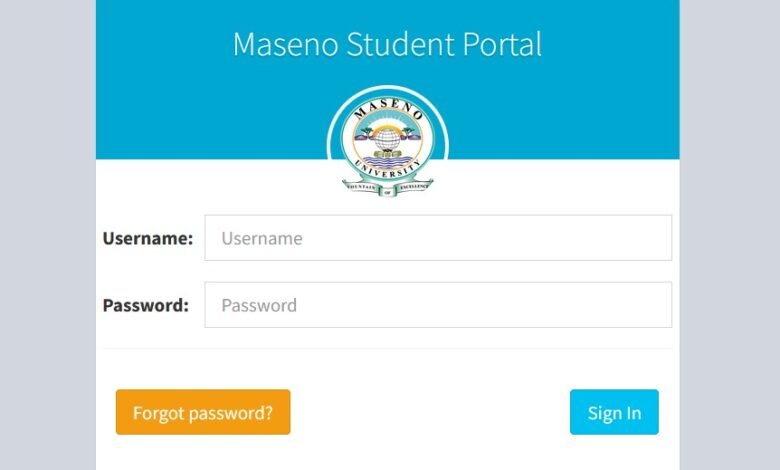
The Maseno Student Portal is an essential online platform that allows students of Maseno University to access academic and administrative services from anywhere. Designed to simplify communication and academic management, the portal enables students to handle important tasks such as course registration, fee payments, exam results, and more.
Whether you are a new student or a continuing learner, understanding how the Maseno Student Portal works can make your university experience much smoother.
What Is the Maseno Student Portal?
The Maseno Student Portal is a secure digital platform created by Maseno University to help students manage their academic information online. Instead of visiting different university offices for services, students can simply log in to the portal and complete many tasks in just a few clicks.
This system is part of the university’s effort to improve efficiency, transparency, and accessibility for students.
Key Features of the Maseno Student Portal
The portal provides a variety of tools and services that support students throughout their academic journey.
1. Course Registration
Students can register for their courses each semester through the portal. This allows the university to track enrollment and ensure students are taking the correct units for their program.
2. Fee Payment and Financial Records
The portal allows students to check their fee balances, view payment history, and confirm whether their payments have been successfully processed.
3. Exam Results Access
One of the most frequently used features is the ability to check examination results online once they are released by the university.
4. Academic Profile Management
Students can update their personal details, review academic progress, and ensure that their records are accurate.
5. Timetable and Academic Updates
The portal often includes access to class timetables, academic notices, and important university announcements.
How to Access the Maseno Student Portal
Accessing the portal is simple. Follow these steps:
- Visit the official website of Maseno University.
- Navigate to the Student Portal section.
- Enter your student registration number.
- Type your password.
- Click the Login button.
After logging in, students can access all available services and tools on their dashboard.
How to Reset Your Portal Password
If you forget your password, you can easily reset it by following these steps:
- Go to the Maseno Student Portal login page.
- Click on “Forgot Password.”
- Enter your student registration number or registered email address.
- Follow the instructions sent to your email to create a new password.
If you still experience issues, you may need to contact the university’s ICT support team.
Benefits of Using the Maseno Student Portal
The Maseno Student Portal offers many advantages for students, including:
- Convenience: Access academic services anytime and anywhere.
- Efficiency: Complete tasks quickly without visiting university offices.
- Transparency: Easily track fees, results, and course registrations.
- Communication: Receive important updates from the university.
These benefits help students stay organized and focused on their academic goals.
Tips for Using the Portal Safely
To keep your account secure, consider these best practices:
- Never share your login credentials with anyone.
- Always log out when using public or shared computers.
- Use a strong and unique password.
- Update your contact information regularly.
Common Issues Students Face
Although the portal is generally reliable, students may sometimes encounter problems such as:
- Forgotten passwords
- Login errors
- Slow loading during peak registration periods
- Incomplete fee confirmations
Most of these issues can be resolved by clearing your browser cache or contacting university support.
FAQs About Maseno Student Portal
1. What is the Maseno Student Portal used for?
The portal allows students of Maseno University to manage academic activities such as course registration, checking results, paying fees, and updating personal information.
2. Who can access the Maseno Student Portal?
Only registered students of the university can access the portal using their student registration number and password.
3. Can I check my exam results on the portal?
Yes, exam results are usually published on the portal once they are officially released by the university.
4. What should I do if I cannot log in?
You should try resetting your password. If the problem continues, contact the ICT support team at Maseno University.
5. Is the Maseno Student Portal accessible on mobile devices?
Yes, the portal can be accessed using smartphones, tablets, or computers as long as you have an internet connection.
Conclusion
The Maseno Student Portal is a powerful tool that helps students manage their academic life more efficiently. From registering for courses to checking exam results and tracking fees, the portal provides a centralized platform for essential university services.
By learning how to navigate and use the portal effectively, students at Maseno University can save time, stay organized, and focus more on their academic success.